Publishing your website
Press Publish. Fix anything listed under "Fix before publishing" first. Update and unpublish any time.
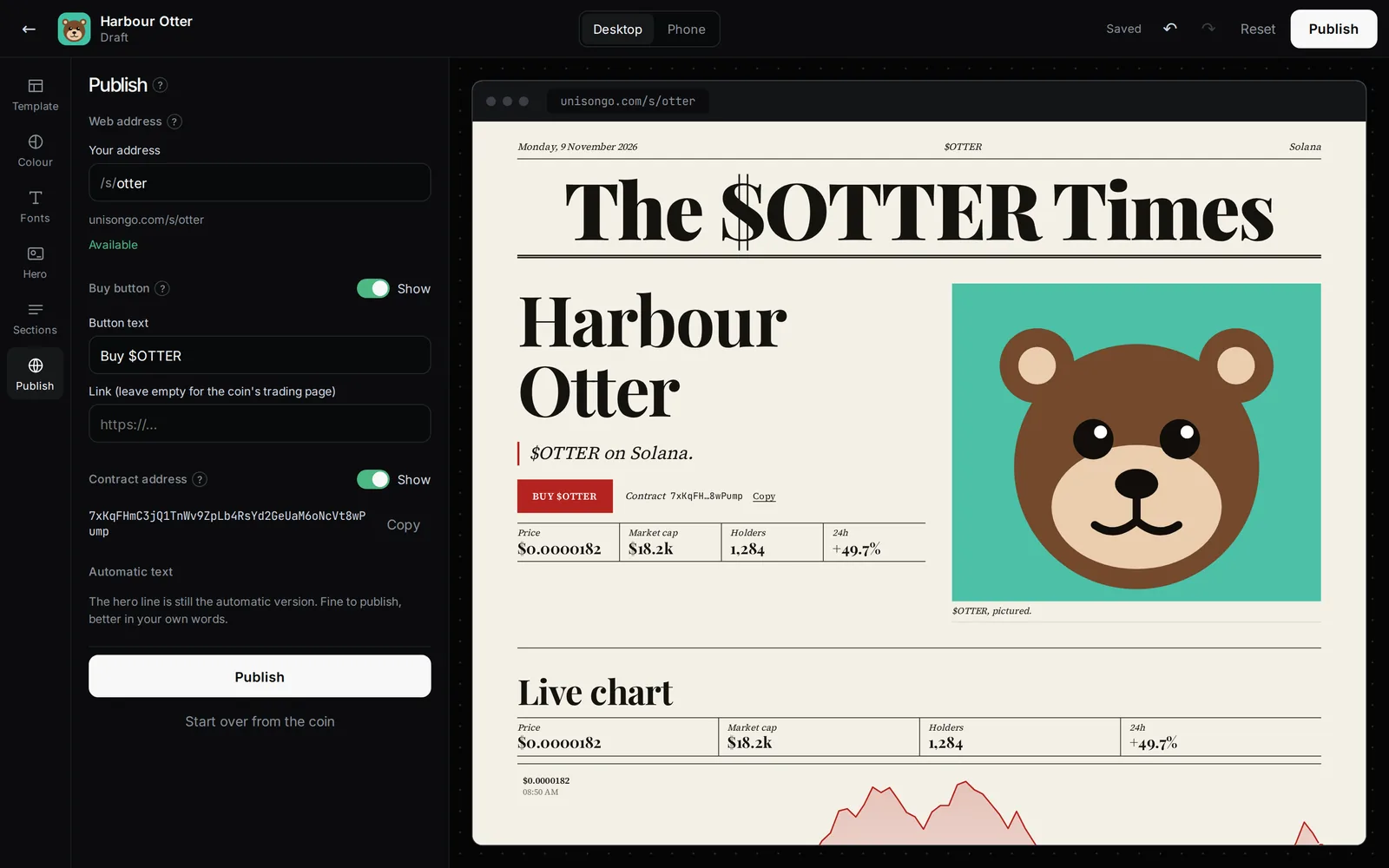
Publish
Open the Publish tab and press Publish. Problems that would break the page are listed under Fix before publishing, for example a buy link that is not a full https link, or every section switched off. Starter text you have not changed is noted under Automatic text, but does not block publishing.
After publishing you get Share on X, Copy link, Open site and a QR code.
Update
Once live, the button reads Update the site. The status says Live, with unpublished changes until you do.
Unpublish
Unpublish takes the site offline. The address shows nothing until you publish again, and stays reserved for your coin.
Buy button and contract
- Buy button: show or hide it, change its text (up to 24 characters), and its link. Leave the link empty to use the coin's trading page.
- Contract address: show or hide it, with a copy button.
Every site has a footer that says crypto is risky and that the site was made by the coin's creator.
Updated 9 Nov 2026. Numbers come from the app and its API.