Autopilot rules
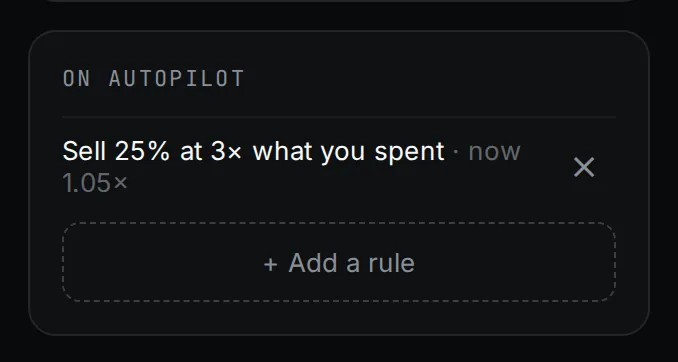
Set take profit, stop loss or timer rules once. They run on Unison’s side and sell from every wallet, even with the tab closed.
The three rules
| Rule | Fires when | Default |
|---|---|---|
| Take profit | The coin is worth this many times what you spent | Sell 25% at 3× |
| Stop loss | The coins still held are worth this % less than they cost | Sell 100% at 40% down |
| Timer | This many minutes after the coin was created | Sell 50% after 60 min |
Sell % is 1 to 100. A take profit target must be above 1×; a stop must be below 100%. You can have up to 10 rules per coin.
How each is measured
- Take profit uses the multiple: (what is still held + what sells returned) ÷ what you spent.
- Stop loss compares what is still held with what that part cost. A take profit's proceeds cannot hide a crash in the rest.
The panel shows the live number next to each rule, such as "now 2.40×" or "now 12% down".
Once, then done
Each rule fires once and is marked done. A rule keeps its state while it stays the same, even if you add, remove or reorder others. To fire it again, change its % or level. If a rule cannot sell after about 1.8 hours of retries, it stops and the coins stay where they are; press Retry on it to sell only the wallets it missed.
Autopilot sells pay the normal 1.5% sell fee. A rule saved in a preset is armed on every launch made from it.
Updated 9 Nov 2026. Numbers come from the app and its API.